
Notice
Recent Posts
Recent Comments
Link
| 일 | 월 | 화 | 수 | 목 | 금 | 토 |
|---|---|---|---|---|---|---|
| 1 | 2 | 3 | 4 | 5 | 6 | 7 |
| 8 | 9 | 10 | 11 | 12 | 13 | 14 |
| 15 | 16 | 17 | 18 | 19 | 20 | 21 |
| 22 | 23 | 24 | 25 | 26 | 27 | 28 |
| 29 | 30 | 31 |
Tags
- UIImage
- unowned
- UISheetPresentationController
- MVVM
- regex
- DI
- Protocol
- ReactorKit
- UIKit
- ios
- Async
- 회고록
- xcode
- Clean Architecture
- 광주소프트웨어마이스터고등학교
- pop
- weak
- GOMS
- 회고
- RenderingMode
- 순환참조
- keychain
- Swift
- breakpoint
- Sync
- 정규식
Archives
- Today
- Total
minaje
UISheetPresentationController? 아! Half Modal?! 본문
UISheetPresentationController?
우선 이 친구는 iOS 15버전 이상부터 가능하니!
미니멈 타겟층이 낮은 프로젝트는 직접 구현해야한다.. ㅠ
iOS 15에 들어오면서 UIViewController는 sheetPresentationController라 불리는 새로운 프로퍼티를 가지게된다.
따라서 우리는 UIViewController에서 UISheetPresentationController에 접근할 수 있다.
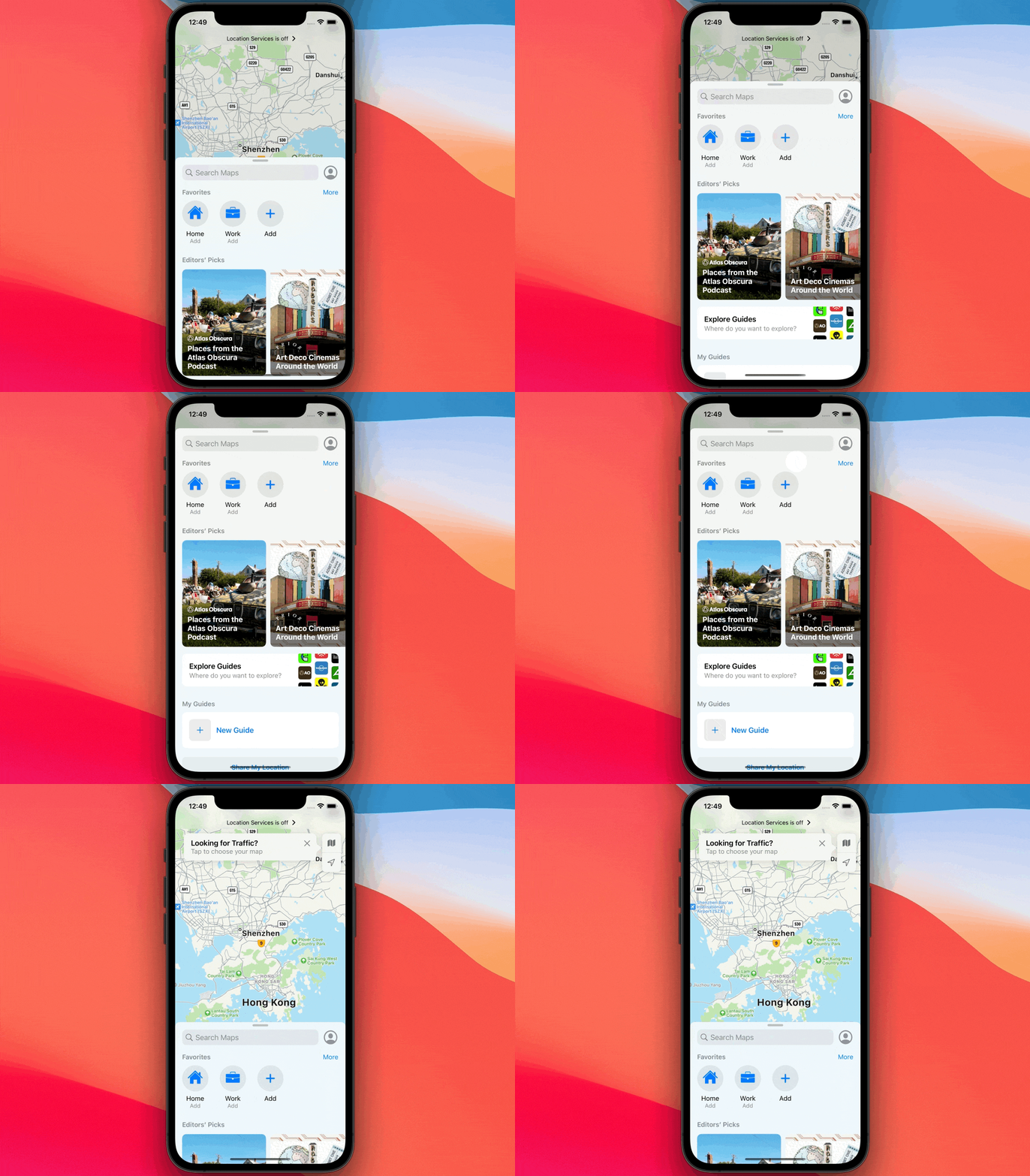
UISheetPresentationController 위처럼 Bottom Sheet을 UIKit에서 간편하게 만들어주는 것이다!
detent
UISheetPresentationController 는 detent라는 프로퍼티가 있다.
detent는 Bottom Sheet의 크기를 지정할 수 있습니다.
.medium()과 .large()가 있다.
.medium()은 화면의 절반 정도를 차지하는 BottomSheet이고,
.large()는 full screen을 사용하는 BottomSheet이다.
Grabber

Grabber는 sheet의 위에 저렇게 잡는 부분을 나타낸다.
sheet.prefersGrabberVisible = true이런 식으로 선언을 하여 Grabber를 나타낼 수 있다.
Background Shadow
sheet이 보여질 때 sheet의 밑이 어둡게 보이려면
sheet.smallestUndimmedDetentIdentifier = true이렇게 설정을 해주면 된다!
스크롤 시 드래그 막기
BottomSheet을 스크롤을 했는데 자꾸 FullScreen으로 바뀐다면
sheet.prefersScrollingExpandsWhenScrolledToEdge = false이렇게 설정해주면 스크롤 시 드래그가 안된다!